Mike runs a heating and cooling outfit on Indy’s north side. He’s always been good on the phone—word of mouth kept his crew busy. But his website? It was more of a digital business card. People landed on it, poked around, and then... nothing. They didn’t call. They didn’t fill out the form. They just vanished.
One Friday afternoon, staring at another month of traffic-but-no-leads, he called me up. “I know folks are visiting the site, but they’re not biting. I need to know how to make my business website convert more leads—without spending a fortune on ads.”
That’s when we sat down and made a list of small, practical fixes. No big redesign. No gimmicks. Just solid changes that fit how people actually use a phone to find a plumber or roofer.
Within two weeks, Mike’s phone started buzzing. Not junk calls—actual homeowners in Fishers and Broad Ripple who wanted to schedule a tune-up or get a quote for a new AC. The kind of leads that turn into money.
Here are the seven website changes that made the difference for Mike, and how you can use them to finally get your site working as hard as you do.
1. Put Your Best Stuff Right Up Top—No Scrolling Required
Most home-service sites bury the important details. A visitor on a phone doesn’t want to hunt. They want to know: Are you in my area? Can you fix my problem? And what’s the next step?
So we gave Mike’s site a clear header. The top of the page now has:
- A headline that mentions “Indianapolis HVAC” (so Google and people instantly know where he works).
- His 317 number, tap-to-call, right at the top.
- A big button that says “Get a Free Quote” (it goes to a short form, not a novel).
- Trust marks: his state license number, a “20 years in business” badge, and the Better Business Bureau logo (he earned that, might as well show it).
If you want to know how to make my business website convert more leads, start here. Don’t make people guess. Show them you’re local, you’re legit, and they can reach you with one thumb. For more on local trust signs, check out our take on local SEO basics.
2. Speed Up Your Mobile Site (Because Nobody Waits)
I see a lot of Indy contractors with sites that load like molasses on a cell phone. Remember, your customer is probably standing in a wet basement in Irvington or peeking at a leaky roof in Zionsville, not sitting at a desk. If your photos take forever to load, they hit the back button and call the next guy.
We moved Mike to a fast hosting setup, compressed his images (those big gallery photos were killing him), and set up something called lazy loading—so images only load when you scroll to them. Suddenly, his site passed Google’s Core Web Vitals, which isn’t just nerd stuff—it actually affects where you rank.
Oh, and we made sure all buttons are big enough to tap with a fat contractor thumb. ADA accessibility isn’t just for legal reasons; it helps everyone. Color contrast, readable labels, clean font—stuff that makes the site easier for everyone. We used an ADA checklist to fix a few things. It took an afternoon. If you’re worried about upfront costs, our website cost guide breaks down what’s worth paying for.
3. Kill the Long Forms—Nobody’s Writing a Novel
Mike’s old contact form had like 12 fields. Name, email, phone, address, problem description, preferred date, how did you hear about us... People would start it and bail. So we chopped it down to just three must-have fields: name, phone, and a “what’s going on?” box. That’s it.
Then we broke it into two steps—first, name and phone, then the message. It feels faster, and we get more completions. We added a little promise right above: “We’ll call you back within 5 minutes or you get a free filter.” (He had a stack of filters in the shop, so why not?)
Short forms are one of the simplest answers to how to make my business website convert more leads. Fewer fields, more calls. It’s not rocket science.
And we protected it with a simple honeypot field and reCAPTCHA. Spam went way down.
4. Give People Ways to Reach You That Aren’t Just Phone Calls
Look, some folks hate talking on the phone. Especially younger homeowners. We added a “Text Us” button that opens their SMS app with a pre-filled message: “Hi, I need help with my AC in Carmel.” It routes to Mike’s cell. He gets a text, they get a fast reply. No voicemail tag.
We also set up an online booking calendar for tune-ups—no more playing phone tag for simple jobs. And we connected it all to his CRM so no lead falls through the cracks. After hours, an auto-response says “We got your message and we’ll call you first thing in the AM.” That’s crucial for those 9pm panic calls about a furnace that just died in Westfield. If you’re still on the fence about all this tech, here’s why a modern website matters even for a small shop.
5. Show Off Your Best Work (And Real Reviews)
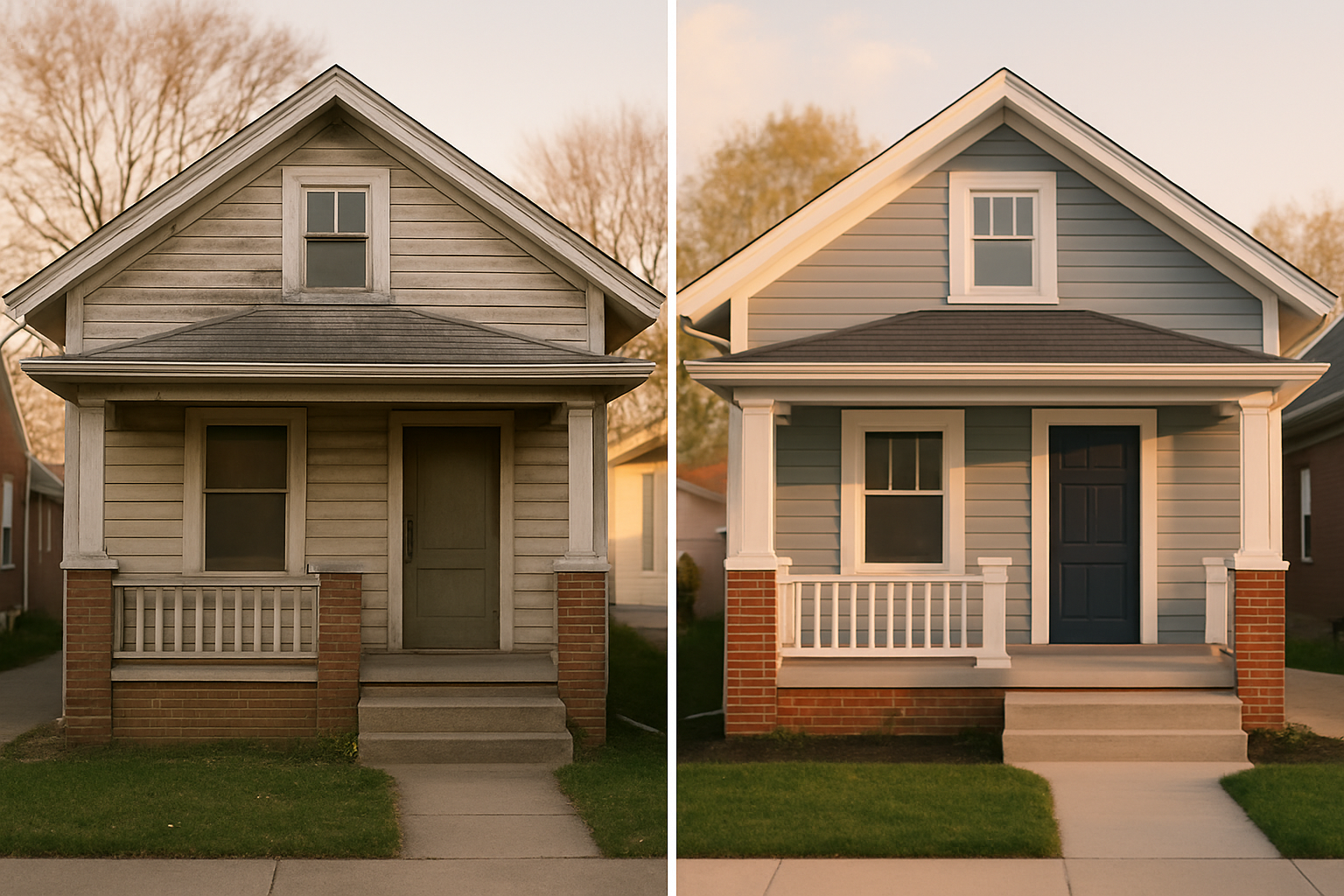
Indy homeowners want to see that you’ve fixed houses like theirs. We added a project gallery with before-and-after shots from neighborhoods they’d recognize—a Craftsman in Meridian-Kessler, a ranch home in Greenwood. No stock photos. No people in the shots, just clean work. Each photo has a caption with the project details and materials used. That builds trust without saying a word.
And we embedded Google reviews right on the site. Not just a generic “5 stars” graphic, but actual snippets from his Google Business Profile. It’s a live feed, so fresh reviews show up automatically. People read them. They see real names, real stories. It’s more convincing than any sales pitch. If you’re not sure how to get more of those, we’ve got a guide for that.
We also made sure his NAP (name, address, phone) is the same everywhere online—Google, Yelp, local directories. Inconsistent info confuses Google and kills trust. It’s a small thing but it matters. Citations and listings aren’t glamorous but they work.
6. Build Separate Pages for Each Service and Each Town
Mike used to have one big “Services” page that listed everything. Bad idea. We broke it into separate pages: AC repair, furnace installation, duct cleaning, etc. Each page talks about that specific service, with Indianapolis-specific keywords. So when someone Googles “furnace repair Broad Ripple,” his furnace repair page has a section about Broad Ripple, with a little local color: “We know those old bungalow basements can get tricky.” That kind of thing.
Then we built service-area pages for key Indy suburbs: Carmel, Fishers, Zionsville, Greenwood, and a few others. Each page mentions the neighborhoods, local landmarks, and common home styles. It signals to Google that you’re really in that area. Plus, homeowners feel like you’re their neighbor. These pages also have clear CTAs and pricing ranges (like “most AC replacements in Indianapolis run between $X and $Y”). You don’t have to list exact prices, but giving a range sets expectations and filters out tire-kickers.
7. Track Everything (And Fix What’s Broken)
Last thing: we set up call tracking with dynamic number insertion on the site. Now Mike knows exactly which page the call came from—was it the Fishers page? The Google Business Profile? A Facebook ad? That means he’s not guessing. He can see what’s working and double down. For more on getting your GBP to pull its weight, read our Map Pack tips.
We also ran a few A/B tests. Tried a different headline. Changed the CTA button from “Submit” to “Get My Quote.” Small stuff, but it moved the needle. With heatmaps, he could see where people were clicking and where they dropped off. Turns out, a lot of visitors were trying to click on his phone number, but it wasn’t a link on mobile. Fixed that. Boom, more calls.
All this data feeds into his CRM. When a lead comes in, his phone buzzes instantly. He responds in under 5 minutes—that’s our speed-to-lead SLA. His close rate jumped because he’s the first to reply, every time.
Now, I know some of this sounds like a lot. But you don’t have to do it all at once. Start with the header and the phone number, then work through the list. If you’re thinking, “I need someone to help me sort through this without wrecking my budget,” that’s exactly what we do at SmallOP. We’re not a big agency. We’re local to Indy, we know the trade, and we can give you a straight-up website conversion audit—no fluff, just a clear plan and a quote.
If you’re tired of watching visitors bounce, let’s talk about a free audit and see what’s really going on with your site. We’ll go through it with you, suggest changes that fit your schedule, and get you set up for more calls and fewer headaches.
Common Questions About Converting More Leads
What is a good website conversion rate for a local home-service business in Indianapolis?
For home services, a decent website conversion rate is around 2-5%. That means if 100 people visit your site, 2 to 5 of them call or fill a form. But I’ve seen sites that optimize well double that. It really depends on your niche and how targeted your traffic is.
Should my main CTA be call, form, or online booking?
It depends on your customer, but we usually say: put all three and let them choose. The key is that the most prominent one—the big button—should match how most people want to reach you right now. For emergency services, make the phone number enormous. For scheduled work, online booking works great.
How do I track calls from my website and Google Business Profile?
Use call tracking software that inserts a unique phone number on your site for each visitor. That way you can tie calls back to specific pages and marketing channels. For GBP, Google provides some call reporting, but dedicated tracking gives you more detail—like call recordings and source. We can set that up for you.
Do I need separate service pages and city/area pages?
Usually, yes. It helps Google understand the scope of what you do and where. It also gives visitors a page tailored exactly to what they’re searching for. It’s a lot of work, but it pays off in more qualified traffic. We can template it to make it easier.
How fast should my site load on mobile to avoid losing leads?
Get it under 3 seconds, ideally under 2.5. Google’s Core Web Vitals are a good benchmark. If your site feels sluggish on a phone, you’re losing people. We test with tools like PageSpeed Insights and fix the low-hanging fruit first.
Ready to talk about your project?
Free consultation, 3D rendering, and a written quote — no pressure.